




Watch How Typing Works

Empower students to become confident and proficient with keyboarding with CodeHS Typing — available for both CodeHS and CodeHop classrooms. A fully integrated standards-aligned typing curriculum designed to support all learners through real-time feedback, structured progression, and gamified achievements.
Students learn with engaging activities, videos, and hand-placement diagrams, while teachers track words per minute and accuracy, set custom goals, print reports, and boost engagement with badges and instant feedback — all in one place.
To purchase Typing for the next school year, request a quote here:
Request A Quote

Keyboarding instruction is designed for every learner, from first keystrokes to full-length writing.

Students move at their own pace, unlocking new challenges as they build speed and accuracy.

Monitor typing metrics like words per minute and accuracy to support and celebrate student improvement.

Students collect badges as they hit typing goals, turning practice into play and keeping engagement high.

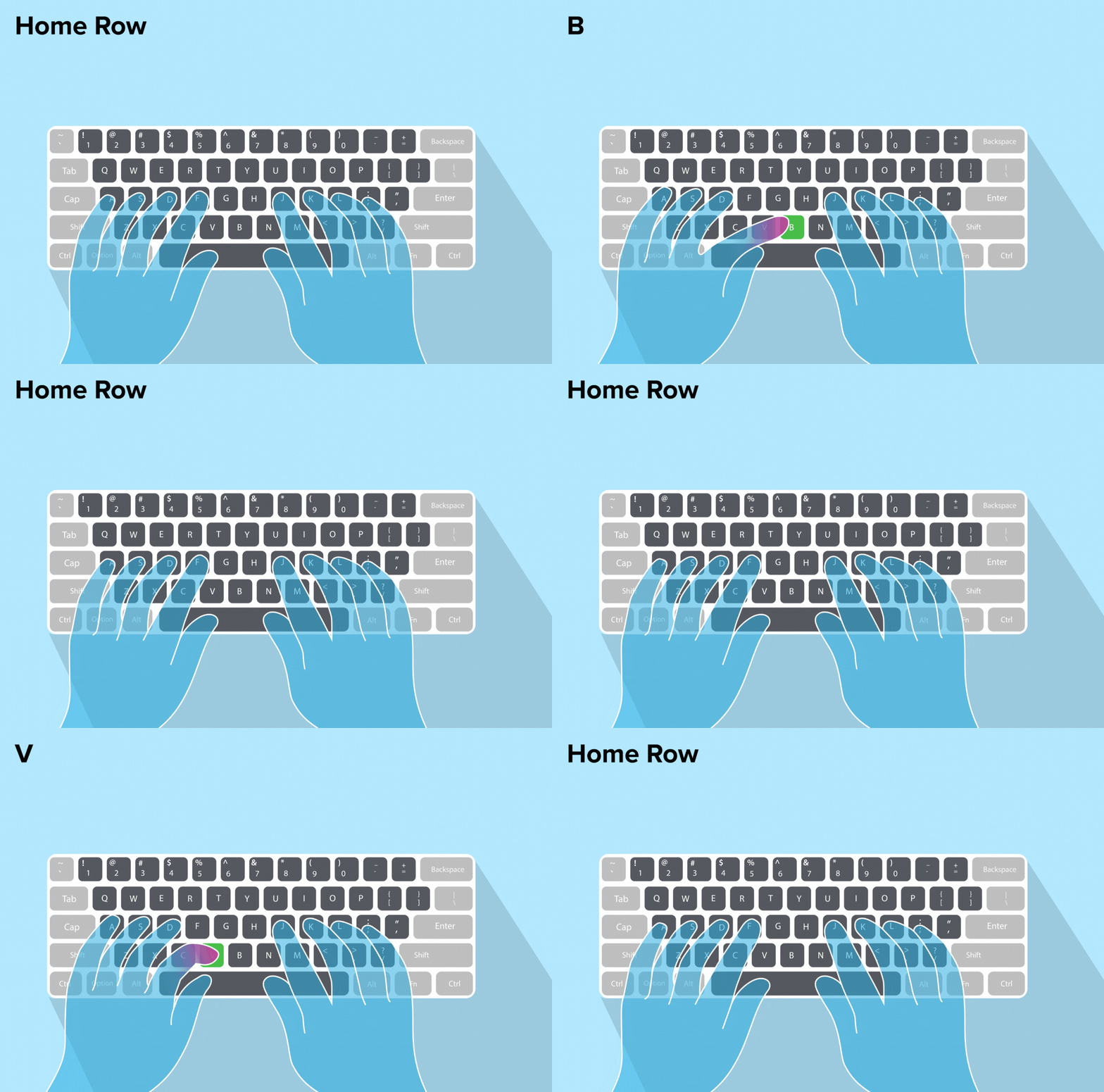
Students learn correct finger positioning and technique with engaging visuals and step-by-step keyboarding instruction.

Students get real-time feedback on their typing accuracy and speed, helping them improve and stay motivated.
Students build typing skills through an interactive program designed to keep them engaged. With visual elements, feedback, and rewards along the way, it makes progress feel fun and motivating.
CodeHS Typing — integrated into both CodeHS and CodeHop — is a self-paced, standards-aligned keyboarding curriculum. It teaches proper typing technique through interactive activities, instructional videos, and hand-placement diagrams, giving students real-time feedback as they build the speed and accuracy that make coding and everyday digital work easier.
Yes. CodeHS Typing offers differentiated courses designed for every learner — from students pressing their first keys to those writing full-length passages. Because the curriculum is self-paced, students advance individually, unlocking new challenges as they build speed and accuracy, so the same course meets beginners and more advanced typists where they are.
CodeHS Typing gives teachers a place to track each student's words per minute and accuracy. Teachers can set custom typing goals, monitor progress, and print reports to share improvement — while students get instant, real-time feedback on their speed and accuracy after every activity.
No. CodeHS Typing is fully integrated into both CodeHS and CodeHop — there's no separate login, download, or tool to set up. Students access it right through their existing CodeHS or CodeHop sections, and teachers manage typing goals, progress, and reports alongside the rest of their curriculum.
CodeHS Typing teaches correct finger positioning and technique using engaging visuals, hand-placement diagrams, and step-by-step keyboarding instruction. Videos and interactive activities guide students through proper form, and because lessons are self-paced, students can practice each skill until it feels natural before moving on to the next challenge.
CodeHS Typing keeps students motivated with gamified learning. Students collect badges as they hit typing goals, turning repetitive practice into play. Real-time feedback and celebrations along the way make progress feel fun and rewarding, so students stay engaged while steadily building speed and accuracy.
Yes. CodeHS Typing is a standards-aligned keyboarding curriculum, so its lessons and structured progression map to recognized expectations for typing and keyboarding instruction. That means you can confidently use it to help meet your school or district's keyboarding requirements as part of your CodeHS or CodeHop curriculum.
Typing is an add-on to both CodeHS and CodeHop, so it isn't included by default. To bring it to your classroom or district — and get current pricing for the upcoming school year — request a quote at codehs.com/quote/typing or speak with the CodeHS team, who can tailor a plan to your needs.


